
In the world of IT and personal data management, there is a dangerous myth that “backing up” is a verb that ends once the progress bar hits 100%. We buy external drives, subscribe to cloud services, and schedule automated syncs, feeling a sense of digital security.
But here is the cold, hard truth: A backup is just a collection of unverified bits until you successfully perform a restore.
The “Schrödinger’s Backup” Problem
Think of your backup like a parachute. You can own the best parachute in the world, inspect the fabric daily, and carry it on every flight. However, you don’t actually know if it works until you are in freefall.
In data management, this is often called “Schrödinger’s Backup.” Until the moment you try to open the box and pull the data back onto your machine, your backup exists in a state of being both “safe” and “corrupted.” If you wait until a hard drive failure or a ransomware attack to test that state, it’s already too late.
Why Backups Fail (Even When They Say “Success”)
Common reasons a “successful” backup might fail to restore include:
- Silent Data Corruption: “Bit rot” can occur over time, where files become unreadable even though the file structure appears intact.
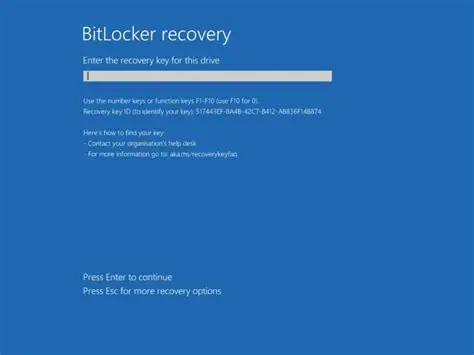
- Encryption Key Loss: You have the data, but you’ve lost the password or recovery key required to decrypt it.
- Incomplete Scopes: You backed up your documents but forgot the specific application metadata or database configurations required to make them useful.
- Hardware Incompatibility: Your backup is on a legacy tape drive or a proprietary format that your new hardware cannot read.
The Solution: The Restoration Drill
To move from a “backup strategy” to a “recovery strategy,” you must shift your focus. Don’t just check the logs for green checkmarks; schedule a restoration drill once a quarter.
- Pick a Random Sample: Don’t just restore one small text file. Try to recover a large folder or a complex database.
- Use Different Hardware: Try restoring the data to a different computer to ensure you aren’t relying on local cached files.
- Document the Time: Know how long a full recovery takes. If it takes 48 hours to download your “safe” data and your business can only survive for four hours of downtime, you don’t have a functional backup.
Final Thought
We don’t back up because we want to save data; we back up because we want to resume our lives after a disaster. If your backup process doesn’t include a verified path back to normalcy, you aren’t protected—you’re just organized for a crisis.
Stop asking “Is it backed up?” and start asking “Can I get it back?”
Stop Guessing If Your Backups Work
Most businesses don’t realize their backups are broken until it’s too late. As an MSP member, we perform automated restoration drills for you, ensuring your data is always one click away from safety.
Secure My Data Today Join our membership for 24/7 monitoring and total peace of mind.